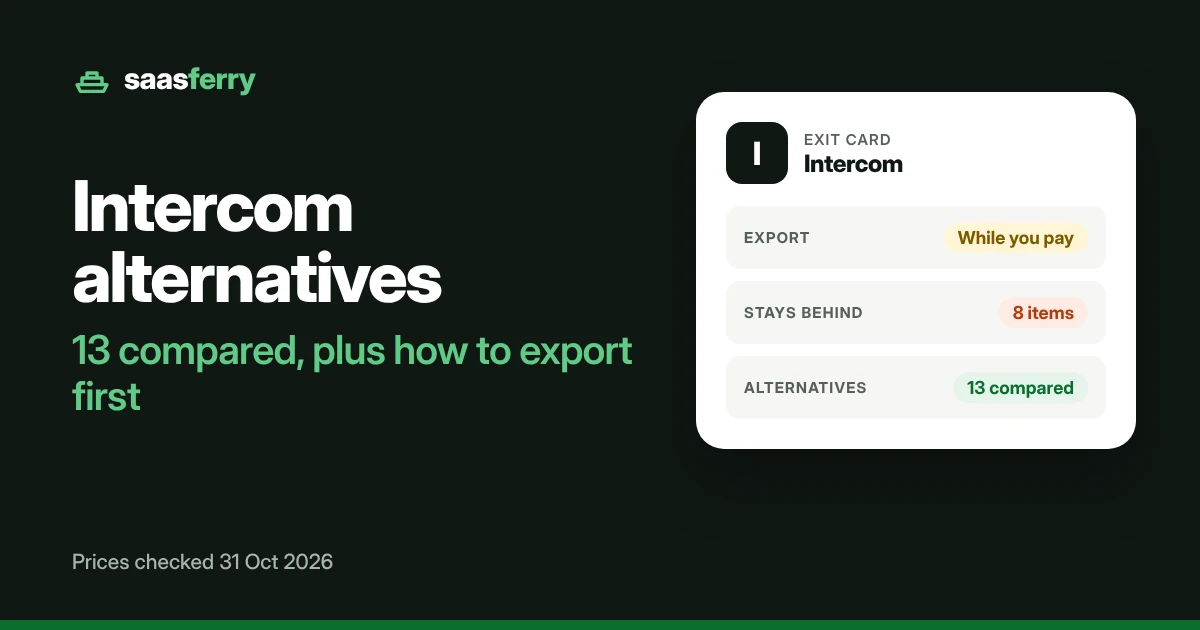
EXIT GUIDE
Your Intercom conversations, users and tickets can leave, but only while your subscription is still active. Help Center articles and macros have no export button. This guide covers what moves, what leaving costs, and 13 alternatives with their prices.
Company news
Intercom is now called Fin, and the help desk product is now Intercom Helpdesk. Salesforce completed its purchase of Fin on 10 Sep 2026. Its release says nothing about the future of Intercom Helpdesk.
Intercom exit card
Eight answers before you cancel
Export
While you payIntercom says you need an active subscription to export your data.
Plans with export
All plansSaved View CSV export works on every plan with Inbox access.
Formats
CSV, PDF, text, JSONReport CSV files leave out the message text.
Time and link
Up to an hourBig CSV files arrive by email. The user export link expires after one hour.
Stays behind
8 itemsHelp Center articles, macros, message text in reports, internal notes and more.
Contract
Renews yearlyAnnual plans renew for 12 months unless you give 30 days written notice.
Early exit terms
No refundAnnual plans get no prorated refund. Fees are not refundable.
Alternatives
13 compared8 have an official import from Intercom. 6 have a free plan.
Stay if
Your team leans on workflows, Series and product tours. None of those migrate, and every macro gets rebuilt by hand in the new tool.
Leave if
Seat prices are the problem and Fin is not. Intercom sells Fin for other help desks at $0.99 for each outcome, with minimum commitments and no seat cost.
On this page
Four ways out for conversations, and one for users
Intercom spreads exports across the Inbox, Reports, Contacts and Settings. Each route gives a different slice of your data, so most teams use more than one.
| Data | Route | Format | Moves? | What to know |
|---|---|---|---|---|
| Conversations | Inbox, one at a time | Text or PDF | Moves | Internal notes are left out of the transcript. |
| Conversations | Inbox, a selection | Text or PDF, one file each | Moves | Up to 200 to 300 conversations at a time. Larger volumes need the API. |
| Conversations | Saved View | CSV | Partly | Visible columns plus a link to each conversation. Views over 100,000 rows are refused. |
| Conversations | Amazon S3 export | JSON | Not stated | Up to two years back. Intercom’s article says both that it has no transcript and that it has message content. |
| Reports | Dataset export | CSV | Partly | “Conversation/message content is not included in the CSV export.” Up to 10,000 rows download at once. |
| Tickets | Dataset export | CSV | Partly | Two years of data. User names and emails cannot leave this way. |
| Users and leads | Contacts, Export users | CSV by email | Moves | The email link expires after one hour. Each user carries only the most recent company. |
| Help Center articles | Articles API only | API | No button | There is no export button in the app. |
Sources: Intercom help articles 2046229, 8300706 and 8851609, read 31 Oct 2026.
Help Center articles, macros and 6 more things the exports miss
Eight items stay in Intercom or come out incomplete. The card under each one names its source and date.
Help Center articles
“You can export articles through the Articles API.” No button exists in the app.
Intercom staff on Intercom’s community, 2020 and 2021. Still requested by users on 2 Oct 2026
Macros
“There’s not yet a way to export these into a CSV file.”
Intercom staff on Intercom’s community, 18 Feb 2022
Message text in reports
“Conversation/message content is not included in the CSV export.”
Intercom help, read 31 Oct 2026
Internal notes in transcripts
Conversation transcripts leave internal notes out.
Intercom help, read 31 Oct 2026
Notes in ticket PDFs
“PDF exports don’t include notes.”
Intercom help, updated 9 Sep 2026
Names and emails in datasets
User details such as name and email cannot leave through the dataset export.
Intercom help, updated 9 Sep 2026
Older events
The API returns events from the last 90 days only.
Intercom help, dated 24 Jan 2025
Bots, Series and product tours
Workflow bots, Series automations and product tours “do not migrate”.
Help Desk Migration (migration service), modified 2 Sep 2026
Two more facts are not stated. Intercom documents no bulk export for attachments, and no export for the Fin AI Agent setup.
Workflows, bots and macros you build again
Your records can move. The way your inbox runs does not, and the new tool starts with none of it.
Chatwoot’s import doc lists routing, automations, teammates and Messenger settings as not recreated. Plain’s doc says CSAT ratings and custom fields on conversations do not import. Crisp and Tidio both tell you to rebuild macros, as message shortcuts or Canned Responses.
Sources: Chatwoot, Plain, Crisp and Tidio help docs (competitors), read 31 Oct 2026. Help Desk Migration (migration service), modified 2 Sep 2026.
Seats from $29 paid yearly, plus $0.99 for each Fin outcome
Intercom’s pricing page shows the yearly figures. Its plans help article gives both the yearly and the monthly price for each seat. The article sets no minimum or maximum seat count.
| Plan | Paid yearly | Paid monthly | Lite seats included | Note |
|---|---|---|---|---|
| Essential | $29 | $39 | Not stated | New customers see $19, at 35% off |
| Advanced | $85 | $99 | 20 | |
| Expert | $132 | $139 | 50 | |
| Fin AI Agent alone | From $0.99 for each outcome | Same | No seats needed | Minimum commitments apply on other help desks |
Add ons
Copilot costs $29 for each agent a month, with 10 free Copilot conversations a month. Proactive Support Plus costs $99 a month. Pro starts at $100 a month.
Renewal
Annual plans renew for another 12 months unless you send written notice at least 30 days before the term ends. The notice goes to [email protected]. Monthly plans cancel any time in Settings.
Refunds and access
Fees are not refundable, and annual plans get no prorated refund. There is no way to pause. Thirty days after termination, you lose all access to your data.
Intercom’s own pages disagree on Fin’s unit. The pricing page says per outcome, while its AI facts page says per resolution. Some alternatives pages list Intercom at $29, $99 and $139, which mixes the yearly Essential price with the monthly Advanced and Expert prices.
Leaving an annual plan early: what the remaining months cost
Intercom’s cancel article says annual plans “won’t get a prorated refund if cancelled early”. Pick your plan, your agents and the months left on the term. Your team size also feeds the prices in part 07.
Your Intercom plan
Agents
Months left on an annual plan
- 5 agents at $29 each is $145 a month.
- $145 a month for 6 months is $870.
Export before you cancel. Intercom says you need an active subscription to export, and a workspace with no subscription is deleted after 180 days of inactivity.
Intercom became Fin, then Salesforce bought it
- 31 Oct 2026, first price record. Essential is $29 paid yearly and $39 paid monthly. Advanced is $85 and $99. Expert is $132 and $139.
- 10 Sep 2026, sale completed. Salesforce completed its purchase of Fin, formerly Intercom. It says “Fin will continue to serve its customers”.
- 9 Sep 2026, old ticket export. Intercom said its old tickets export would retire within 60 days.
- 8 Sep 2026, new terms. The current Terms of Service took effect.
- 28 Aug 2026, Saved View CSV. Conversation export from a Saved View launched.
- 15 Jun 2026, deal signed. Salesforce agreed to buy Fin, formerly Intercom, for about $3.6 billion.
- Before 15 Jun 2026, new name. Intercom renamed itself Fin. The exact day is not stated.
- 31 Oct 2025, dataset export. Export of all 13 reporting datasets launched.
13 Intercom alternatives, with import routes checked
Each price below is the figure on the vendor’s own page on 31 Oct 2026, with its billing label where the page gives one. Each row also shows how your Intercom data gets in, from a built in importer to a paid partner.
The table runs from cheapest to dearest for a team of 5 agents.
| Alternative | Best for | From, as each page shows it | Free plan | Intercom import | Help Center moves? |
|---|---|---|---|---|---|
| Small teams that answer customers by email | Free for 5 users, then $25 Standard | Yes. 5 users, 1 inbox | Official import | No | |
| Small shops that want chat and AI on a free plan | Free plan, then $24.17 Starter | Yes. 10 seats, 50 conversations | Official import | Not stated | |
| Teams already on HubSpot CRM | Free for 2 users, then $7 and $20 shown for Starter | Yes. 2 users | Partner tool | Partly | |
| Teams that want the cheapest price for each agent | $11 Starter, paid yearly, offer until 22 Nov 2026 | No. 30 day trial | Official import | Not stated | |
| Teams that want open source support software | Free for 2 agents, then $19 Startups | Yes. 2 agents | Official import | Not stated | |
| Chat first teams that pay for each workspace | Free for 2 seats, then $45 Mini for each workspace | Yes. 2 seats | Official import | Yes | |
| Teams that want classic ticketing with AI add ons | $19 Growth, paid yearly | No. 14 day trial | Partner tool | Yes | |
| Teams that want one suite for tickets, AI and knowledge | $19 Support Team, paid yearly | No. 14 day trial | Partner tool | Yes | |
| Teams that share inboxes, up to 50 users | $25 Starter, paid yearly | No. 14 day trial | Partner tool | Not stated | |
| Ecommerce and online businesses | $26.10 Basic, paid yearly | No. 14 day trial | Partner tool | Yes | |
| Teams that ship software | $45 Foundation, paid yearly | No. 7 day trial | Official import | Not stated | |
| B2B companies that support business customers | $89 Professional, on an annual contract | No. Trials for prospects | Official import | Yes | |
| Tiny teams on a budget | Free for 3 users. USD price: not stated | Yes. 3 users | Official import | Yes |
Find your fit
Filter, sort and compare the 13 alternatives
Showing 13 of 13
No tool matches every filter. Turn one off to see options again.
Help Scout
From: Free for 5 users, then $25 Standard
Paid monthly: One figure shown, beside a yearly toggle marked 16% off
Plans
- Free: $0 for 5 users
- Standard: $25 for each user
- Plus: $45 for each user
- Pro: $75 for each user, contact sales
- One figure per plan, beside a yearly toggle marked 16% off
Free plan and trial
The Free plan covers 5 users, 1 inbox and 1 Docs site. Trial: 15 days on Standard and Plus, no card.
Add ons and extras
Envoy AI is $0.75 for each resolution.
The Intercom importer runs on Standard, Plus and Pro, so the Free plan cannot use it.
Comes in from Intercom
Help Scout's built in importer, run with Import2, lists Intercom as a source. It brings emails or tickets "along with the attached customer profiles and tags or labels". It is free up to 500,000 records when started inside Help Scout, then $500 for each 500,000.
You rebuild
Knowledge base articles, which go through the Docs API instead. Saved replies, macros, rules, automations, custom fields, ticket types and custom statuses also stay behind.
The catch
You need a paid plan to run the import, and Help Center articles never pass through it.
Tidio
From: Free plan, then $24.17 Starter
Paid monthly: Figures unlabelled. The annual toggle says 2 months free
Plans
- Free: $0, 50 billable conversations, 10 seats
- Starter: $24.17 a month, 100 conversations
- Growth: from $49.17 a month, from 250 conversations
- Plus: from $300 a month plus usage
- Premium: contact sales
- A toggle shows Monthly and Annually (2 months free), and the figures are unlabelled
Free plan and trial
Free for 10 seats and 50 billable conversations. Trial: 7 days, no card, then it drops to Free.
Add ons and extras
Lyro AI starts at $32.50 a month for 50 Lyro conversations. Flows start at $24.17 a month.
Tidio counts conversations, not agents, so your volume decides the plan.
Comes in from Intercom
Tidio's own guide is a manual move. You export from Intercom by CSV or API, then import contacts by CSV or TXT. Ticket and contact migration done for you is for Tidio+ subscribers.
You rebuild
Macros, by hand as Canned Responses. Tidio says "there is currently no way to export Intercom macros".
The catch
Without Tidio+, you do the whole move yourself.
HubSpot Service Hub
From: Free for 2 users, then $7 and $20 shown for Starter
Paid monthly: Two figures shown side by side, unlabelled
Plans
- Free: $0 for 2 users
- Starter: $7 and $20 for each user a month, shown side by side
- Professional: $90 and $100, shown side by side
- Enterprise: from $150
- HubSpot Credits included: 500 on Starter, 3,000 on Professional and 5,000 on Enterprise
Free plan and trial
Free for up to 2 users. Trial: Not stated.
Add ons and extras
Onboarding is a one time $1,500 on Professional and $3,500 on Enterprise.
On Professional, the $1,500 onboarding fee comes before your first month of user prices.
Comes in from Intercom
HubSpot's Marketplace lists Help Desk Migration, built by Relokia, for Intercom to HubSpot moves at $100 for each 1,000 records. The partner says conversations become HubSpot tickets, along with contacts, companies, admins, custom fields and attachments.
You rebuild
Groups stay behind. Tags come across only if they already exist in HubSpot.
The catch
Ticket creation dates default to the day of the move unless you add a custom date field first.
LiveAgent
From: $11 Starter, paid yearly, offer until 22 Nov 2026
Paid monthly: $15 Starter, $26 Team, $44 Business
Plans
- Starter: $11 paid yearly or $15 paid monthly, up to 5 agents (regular $15 or $19)
- Team: $22 paid yearly or $26 paid monthly, up to 15 agents (regular $29 or $35)
- Business: $38 paid yearly or $44 paid monthly (regular $49 or $59)
- Enterprise: $3,199 a month paid yearly or $3,999 paid monthly, flat, with 80 agents
Free plan and trial
No free plan. Trial: 30 days, no card.
Add ons and extras
LiveAgent says its standard migration is free for anyone who signs up for a paid plan.
Offer prices end on 22 Nov 2026, so compare the regular prices if you sign up later.
Comes in from Intercom
LiveAgent's own Intercom Migration plugin uses an Intercom access token. Conversations and tickets arrive as LiveAgent tickets, with tags, users and leads as contacts, companies, and teammates as agents.
You rebuild
The Intercom article is silent on Help Center articles and attachments.
The catch
The plugin article, updated 25 Mar 2025, gives no time estimate or record limits.
Chatwoot
From: Free for 2 agents, then $19 Startups
Paid monthly: No billing label on the page
Plans
- Hacker: $0, up to 2 agents
- Startups: $19 for each agent a month
- Business: $39 for each agent a month
- Enterprise: $99 for each agent a month
- No yearly or monthly label on the page. Self hosted plans sit on a separate page
Free plan and trial
Hacker is free for up to 2 agents, 500 conversations a month and 30 days of data. Trial: 15 days.
Add ons and extras
Captain AI credits come included: 300, 500 or 800 by plan. Extra credits cost $20 for each 1,000.
The Intercom importer works only on paid plans, so Hacker cannot use it.
Comes in from Intercom
Chatwoot's built in importer uses an Intercom private app token. Contacts and conversations with their message history arrive as resolved, read only records.
You rebuild
Teammates, teams, assignments, routing, automations, apps and Messenger settings. Chatwoot also says "File attachments are not transferred."
The catch
Imported chats are read only history, and the attachments stay in Intercom.
Crisp
From: Free for 2 seats, then $45 Mini for each workspace
Paid monthly: One figure, called the monthly or yearly cost
Plans
- Free: 2 seats, 100 customer profiles
- Mini: $45 a month for each workspace, 4 seats
- Essentials: $95 a month for each workspace, 10 seats
- Plus: $295 a month for each workspace, 20 seats, then $10 for each extra agent
- Enterprise: by demo
- The page calls each price the monthly or yearly cost, without separate labels
Free plan and trial
Free for 2 seats and 100 customer profiles, with no AI credits. Trial: 14 days.
Add ons and extras
AI credits come included: $5 on Mini, $25 on Essentials and $75 on Plus. Extra credits show no price.
Crisp prices each workspace, so a team of 5 agents lands on Essentials.
Comes in from Intercom
Crisp's own Moving from Intercom guide imports contacts by CSV and Help Center articles from your public help center URL. Macros come in by CSV as message shortcuts, and tags map to segments.
You rebuild
Past conversations need the Crisp REST API. Crisp says "This step requires development work".
The catch
Your conversation history needs a developer to move.
Freshdesk
From: $19 Growth, paid yearly
Paid monthly: Not shown in the page text
Plans
- Growth: $19 for each agent a month, paid yearly
- Pro: $55, paid yearly
- Enterprise: $89, paid yearly
- No monthly figures in the page text
Free plan and trial
No free plan. Trial: 14 days on Enterprise.
Add ons and extras
Every plan includes 500 Freddy AI Agent sessions, and 100 more cost $49. Freddy AI Copilot is $29 for each agent a month on Pro and Enterprise.
The page summary on Freshdesk says pricing starts at $15, yet the lowest plan listed is $19.
Comes in from Intercom
The Freshworks Marketplace lists the Help Desk Migration app, and the listing does not name Intercom. Help Desk Migration's own page lists tickets, agents, contacts, companies, attachments, notes, custom fields and knowledge base articles, done in 1 to 2 weeks.
You rebuild
Anything outside the partner's list. Whether Intercom tags come across is not confirmed.
The catch
Freshdesk's help pages show no Intercom guide of their own, so the whole move rests on the partner.
Zendesk
From: $19 Support Team, paid yearly
Paid monthly: $25 Support Team, $69 Suite Team, $149 Suite Professional
Plans
- Support Team: $19 paid yearly, $25 paid monthly, for each agent
- Suite Team: $55 paid yearly, $69 paid monthly
- Suite Professional: $115 paid yearly, $149 paid monthly
- Suite Growth: no price on the pricing page
- Suite Enterprise: talk to sales
Free plan and trial
No free plan. Trial: 14 days.
Add ons and extras
Copilot costs $50 for each agent a month, paid yearly. AI agent resolutions cost $1.50 each when committed, or $2.00 pay as you go.
Zendesk lists no price for Suite Growth, so most budgets land on Suite Team or Suite Professional.
Comes in from Intercom
Zendesk says you "can't migrate everything into Zendesk through the user interface" and points to its import APIs, Marketplace apps, partners and paid Professional Services. Help Desk Migration, a listed Zendesk migration partner, moves conversations, contacts, companies, teammates, tags, custom fields, internal notes, attachments and Help Center articles, from $100 for each 1,000 records.
You rebuild
Workflow bots, Series, product tours and macros, per Help Desk Migration.
The catch
Imported tickets get no ticket metrics, and triggers do not run on them, per Zendesk's own migration article.
Front
From: $25 Starter, paid yearly
Paid monthly: Not shown in the page text
Plans
- Starter: $25 for each user a month, up to 10 users, paid yearly
- Professional: $65, up to 50 users, paid yearly
- Enterprise: $105, paid yearly
- The toggle says Save 24% on annual, with no monthly figures shown
Free plan and trial
No free plan. Trial: 14 days with Professional features.
Add ons and extras
Copilot is $20 for each user a month on Starter and Professional, and included in Enterprise. Autopilot starts at $0.05 for each conversation.
A team that grows past 10 users leaves Starter for Professional at $65.
Comes in from Intercom
Front's integrations page lists Help Desk Migration for Starter, Professional and Enterprise, with a free trial of up to 20 records. That page does not name Intercom.
You rebuild
Not stated on Front's page. Whether Help Center articles move is not stated.
The catch
No Front page names Intercom as a source, so confirm the scope with the partner before you commit.
Re:amaze
From: $26.10 Basic, paid yearly
Paid monthly: $29 Basic, $49 Pro, $69 Plus
Plans
- Basic: $29 for each team member a month, or $26.10 paid yearly
- Pro: $49, or $44.10 paid yearly
- Plus: $69, or $62.10 paid yearly
- Starter: $59 a month flat, unlimited team members, up to 500 responded conversations a month
Free plan and trial
No free plan. Trial: 14 days with Plus features.
Add ons and extras
AI resolutions come included for each user a month: 5 on Basic, 10 on Pro and 20 on Plus. Extra resolutions cost $0.85 each.
Starter at $59 flat costs less than Basic for 3 or more users, as long as you stay under 500 conversations a month.
Comes in from Intercom
Re:amaze points to Help Desk Migration, which names Intercom among "over 70 systems". It moves tickets with replies, tags, notes and attachments, contacts, agents, groups, and knowledge base articles with images.
You rebuild
Not stated.
The catch
The move is a paid third party service, priced for each record you pick.
Plain
From: $45 Foundation, paid yearly
Paid monthly: No monthly option shown
Plans
- Foundation: $45 for each user a month, paid yearly ($55 struck, save 20%)
- Horizon: $99 for each user a month, paid yearly
- Frontier: custom, paid yearly
Free plan and trial
No free plan. Trial: 7 days, no card.
Add ons and extras
AI credits come included: 1,000 a month on Foundation and 2,500 on Horizon. Each Customer Agent resolution uses 100 credits, and top ups cost $10.00.
Plain's page shows yearly billing only.
Comes in from Intercom
Plain's own Intercom integration moves contacts, admins, and conversations as threads with chat and email history, attachments, assignees, priority and timestamps. New contacts and conversations keep syncing every hour after the first import.
You rebuild
Plain says "CSAT ratings and custom fields on conversations are not imported." Later edits to old conversations do not sync.
The catch
Your CSAT history stays in Intercom.
Pylon
From: $89 Professional, on an annual contract
Paid monthly: Monthly billing offered, figures not shown
Plans
- Professional: $89 for each user, on an annual contract
- Advanced: $139 for each user, on an annual contract
- Enterprise: custom quote
- Pylon offers annual and monthly billing. New customers face a seat minimum, with no number given
Free plan and trial
No free plan. Trial: Free trials for prospects, length not stated.
Add ons and extras
Account Intelligence is $10 for each customer account a month, with 50 accounts minimum. Phone is $35 for each user a month. AI credits need a 5,000 credit minimum, price not shown.
Ask for the seat minimum before you plan a small team.
Comes in from Intercom
Pylon runs the Intercom move with you through your account executive. Companies, users and leads, conversations, teams, admins, issues and articles all map to Pylon records.
You rebuild
Not stated. Comments with more than five attachments get split.
The catch
Imported tickets arrive closed, "meaning neither you or the customer can reply on these tickets from Pylon".
Zoho Desk
From: Free for 3 users. USD price: not stated
Paid monthly: Not shown
Plans
- Free: 3 users
- Express: 420 rupees for each user a month, paid yearly
- Standard: 800 rupees
- Professional: 1,400 rupees
- Enterprise: 2,400 rupees
- USD figures: not stated, since the page prices by location
Free plan and trial
Free forever for 3 users. Trial: 15 days, no card, then it drops to Free.
Add ons and extras
Light agents cost 345 rupees each a month on Professional and Enterprise.
Zoho sets the price by your country, so open its page from where you are.
Comes in from Intercom
Zoho's Zwitch tool lists Intercom as a source, using your Service URL and an access token. It moves agents, accounts, contacts, products, tickets, threads, comments, attachments and knowledge base articles.
You rebuild
Attachments inside knowledge base articles do not move. Tags are not mentioned. Migration runs on paid editions, and a trial can move up to 2 GB.
The catch
Zoho says a "3% to 5% migration failure could occur", and you must answer its error log within two weeks.
Each card prices your team on the free plan if everyone fits, or else on the lowest paid plan that holds your team size. When a page shows two unlabelled prices, the card uses the lower one and says so. Import labels come from each vendor’s own help pages and marketplace listings, read 31 Oct 2026.
The help desk hub lines up the export rules of every help desk guide in one table.
Before you cancel Intercom
- Export conversations, users and tickets while you still pay.
- Pull Help Center articles through the Articles API.
- Copy your macros into a document by hand.
- Send written notice 30 days before an annual renewal.
- Cancel only after every export has finished.
Where every Intercom fact comes from
- Vendor Intercom help: export your conversations data · Read 31 Oct 2026
- Vendor Intercom help: export your tickets data · Updated 9 Sep 2026
- Vendor Intercom help: export users, leads or company data · Dated 21 Jul 2025
- Vendor Intercom help: export your data for GDPR · Dated 24 Jan 2025
- Vendor Intercom changes: dataset export · Dated 31 Oct 2025
- Vendor Intercom community: exporting Help Center articles · Staff answers 2020 and 2021
- Vendor Intercom community: request for article export · Posted 2 Oct 2026
- Vendor Intercom community: exporting macros · Staff answer 18 Feb 2022
- Vendor Intercom help: Fin and Intercom plans explained · Read 31 Oct 2026
- Vendor Intercom pricing · Read 31 Oct 2026
- Vendor Intercom: facts about Fin · Last reviewed October 2026
- Vendor Intercom help: free trial · Dated 30 Sep 2026
- Vendor Intercom Terms of Service · Effective 8 Sep 2026
- Vendor Intercom help: cancel your subscription · Dated 12 Jun 2026
- Vendor Intercom help: inactive workspace deletion · Read 31 Oct 2026
- Vendor Salesforce: agreement to acquire Fin · 15 Jun 2026
- Vendor Salesforce: acquisition of Fin completed · 10 Sep 2026
- Vendor Zendesk help: migrate from another platform · Read 31 Oct 2026
- Vendor Zendesk Marketplace: Help Desk Migration partner listing · Read 31 Oct 2026
- Vendor Freshworks Marketplace: Help Desk Migration app · Read 31 Oct 2026
- Vendor Help Scout docs: import emails or tickets · Updated 18 Oct 2026
- Vendor Front integrations: Help Desk Migration · Read 31 Oct 2026
- Vendor HubSpot Marketplace: Help Desk Migration · Read 31 Oct 2026
- Vendor Zoho Desk help: Zwitch migration · Read 31 Oct 2026
- Vendor LiveAgent help: Intercom migration · Updated 25 Mar 2025
- Vendor LiveAgent: migration · Read 31 Oct 2026
- Vendor Crisp help: moving from Intercom · Updated 26 Oct 2026
- Vendor Tidio help: migrating from Intercom · Read 31 Oct 2026
- Vendor Chatwoot help: migrate from Intercom · Updated 7 Aug 2026
- Vendor Pylon help: migrating from Intercom · Read 31 Oct 2026
- Vendor Plain docs: Intercom integration · Read 31 Oct 2026
- Vendor Re:amaze help: migrating from another help desk · Read 31 Oct 2026
- Vendor Pricing pages for the 13 alternatives · Read 31 Oct 2026. Zoho Desk served rupees
- Migration service Help Desk Migration: Intercom to Zendesk, Intercom to Freshdesk and Intercom to HubSpot pages · Read 31 Oct 2026
Every fact carries the date it was read from the vendor’s page. Your own contract and the live vendor page decide what applies to you.