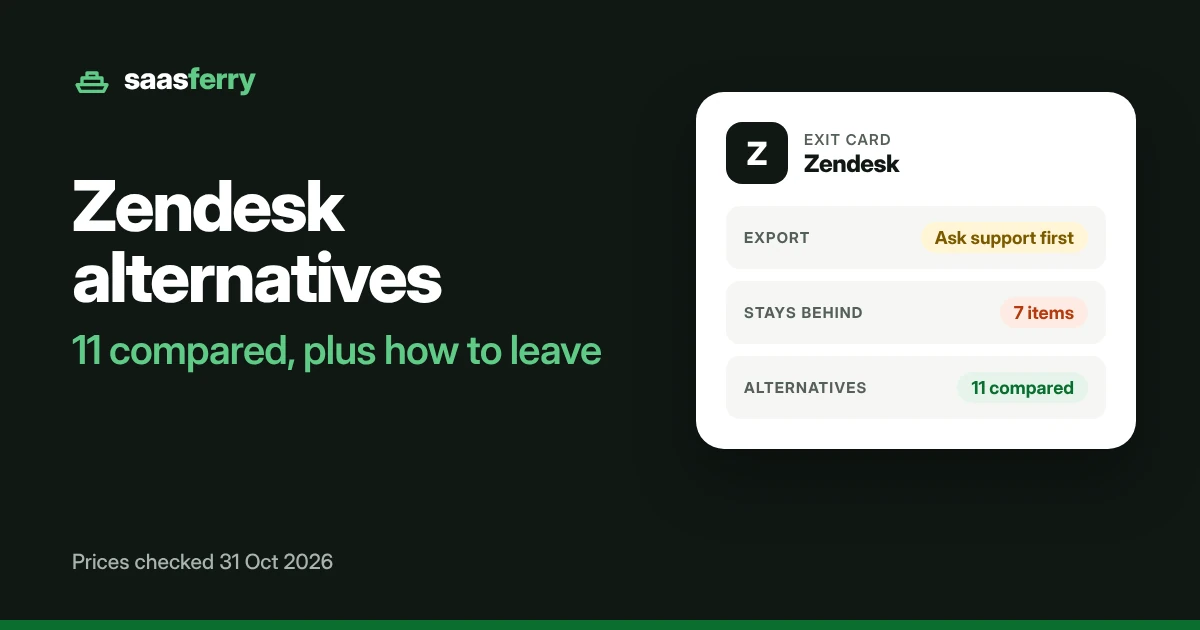
EXIT GUIDE
Your Zendesk tickets can leave, but only after you ask support to turn on exports. Your knowledge base, ticket metrics and attachment files stay behind. This guide covers what moves, what leaving costs, and 11 alternatives with their prices.
Zendesk exit card
The whole guide in eight fields
Export
Ask support firstOff by default. The account owner asks Zendesk support to turn it on.
Plans with export
Suite Growth and upNot on Team plans. The API works on every plan.
Formats
JSON, CSV, XMLXML stops at 500 MB, about 200,000 tickets.
Time and link
Minutes to a day or moreThe download link works for at least 3 days.
Stays behind
7 itemsKnowledge base, AI agent tickets, ticket metrics, attachment files and more.
Contract
FlexibleMonth to month, annual or multi year. No seat minimum stated.
Early exit terms
Not statedNot on the pricing page. Your order form decides.
Alternatives
11 compared7 have an official import from Zendesk. 4 have a free plan.
Stay if
Your ticket history and reports matter more than the bill. Ticket metrics, side conversations and the knowledge base do not leave in the export. Every macro and trigger gets rebuilt by hand.
Leave if
You pay monthly and mostly need the ticket records. One support request turns on the export. Zendesk says the files take from a few minutes to a day or more.
On this page
Exports stay off until you ask Zendesk support
Every Zendesk account starts with exports turned off. The account owner asks Zendesk support to enable them. Team plans cannot use these exports, but the API works on every plan. Once exports are on, Zendesk offers three file types.
| Data | Format | Moves? | What to know |
|---|---|---|---|
| Tickets | JSON | Moves | Comments are dropped on any ticket over 1 MB. Accounts with more than 1,000,000 tickets download in 31 day chunks. |
| Tickets | CSV | Partly | Leaves out deleted tickets, comments and descriptions. It also drops multi line text, multi select and custom date fields. |
| Tickets | XML | Partly | Capped at 500 MB, about 200,000 tickets. Not offered at all above 200,000 tickets. |
| Users | CSV, XML | Moves | User XML is not offered above 200,000 tickets. |
| Organizations | CSV, XML | Moves | Same request as tickets. The link works for at least 3 days. |
Source: Zendesk help article 4408886165402, read 31 Oct 2026.
Seven things your export leaves behind
Seven items do not leave with the export. Each card shows where the fact comes from and its date.
AI agent tickets
“AI agent tickets cannot be exported.”
Zendesk help, read 31 Oct 2026
Knowledge base
“No export feature is available for Knowledge.”
Zendesk support reply, quoted by Supportbench (competitor), 7 Aug 2026
Attachment files
The export gives links and details, not the files. The files need the API.
Supportbench (competitor), 7 Aug 2026
Ticket metrics
First reply time and first resolution time do not come with the ticket.
Supportbench (competitor), 7 Aug 2026
Side conversations
They do not move by default.
Supportbench (competitor), 7 Aug 2026
Comments on big tickets
JSON drops comments on any ticket over 1 MB. CSV drops all comments.
Zendesk help, read 31 Oct 2026
Ticket IDs
Zendesk sets them and they cannot be overwritten, so the new tool gives each ticket its own.
Help Desk Migration, quoted by Supportbench, 7 Aug 2026
Macros, triggers and 6 more things you set up again
Records move to a new tool, but the rules around them stay in Zendesk. Help Desk Migration lists what its tool skips on the Zendesk to Freshdesk route.
On that route, attachments over 15 MB in a reply are skipped. Tags longer than 32 characters get cut short. Only the main language of a knowledge base in several languages moves.
Source: Help Desk Migration limits page, undated, read 31 Oct 2026.
Plans from $19 an agent, with no seat minimum stated
Prices below are for each agent, each month, as zendesk.com/pricing showed them on 31 Oct 2026. Zendesk’s page says plans run month to month, annual or multi year. It states no minimum number of agents.
| Plan | Paid yearly | Paid monthly | Export tools | AI resolutions included |
|---|---|---|---|---|
| Support Team | $19 | $25 | API only | 5 for each agent a month |
| Suite Team | $55 | $69 | API only | 5 for each agent a month |
| Suite Growth | Not shown on zendesk.com | Not shown | Yes | Not shown |
| Suite Professional | $115 | $149 | Yes | 10 for each agent a month |
| Suite Enterprise | Talk to sales | Talk to sales | Yes | Not shown |
Add ons, paid yearly
Copilot costs $50 for each agent a month. Workforce Engagement costs $50. Contact Center costs $83.
Extra AI resolutions
Each one costs $1.50 when you commit up front. Each one costs $2.00 when you pay as you go.
Early exit and refunds
Not statedThe pricing page does not state them.
Other sites disagree with Zendesk’s own page. G2 lists Suite Growth at $89 billed annually, while zendesk.com shows no Growth price today.
What the months left on a yearly plan add up to
On a yearly plan, the rest of your term is already committed. Zendesk’s pricing page does not say if leaving early earns a refund. Set your plan, your agents and the months left below. Your team size also sets the price comparison for every alternative in part 07.
Your Zendesk plan
Agents
Months left on the term
- 5 agents at $55 each is $275 a month.
- $275 a month for 6 months is $1,650.
Your order form decides whether any of this money comes back.
Zendesk price record from 31 Oct 2026
- 31 Oct 2026, pricing page. Suite Growth shows no price on zendesk.com. G2 still lists it at $89 billed annually.
- 31 Oct 2026, first record. Support Team is $19 paid yearly and $25 paid monthly. Suite Team is $55 and $69. Suite Professional is $115 and $149.
- Watching. The pricing page, the export help article and the subscription terms, on every recheck.
11 Zendesk alternatives, compared
Prices are for each agent, each month, as each vendor’s page showed them on 31 Oct 2026. Every row also shows how your Zendesk data gets in, because that sets the real work of the move. Where a vendor hides a number, the row says so.
The table is sorted by cost for a team of 5 agents.
| Alternative | Best for | From, for each agent a month | Free plan | Zendesk import | Knowledge base moves? |
|---|---|---|---|---|---|
| Small teams that live in email | Free for 5 users, then $25 Standard | Yes. 5 users, 1 inbox | Official import | No | |
| Teams already on HubSpot CRM | Free for 2 users, then $7 and $20 shown for Starter | Yes. 2 users | Partner tool | Not stated | |
| Budget teams that want the lowest price for each agent | $11 Starter, paid yearly, offer until 22 Nov 2026 | No. 30 day trial | Official import | Yes | |
| Teams that want the closest match to Zendesk | $19 Growth, paid yearly | No. 14 day trial | Official import | Yes | |
| IT and internal support teams | Free for 3 agents, then $21.50 Standard | Yes. 3 agents | Partner tool | Yes | |
| Teams that want the vendor to run the migration | From $24, paid yearly | No. 14 day trial | Official import | Not stated | |
| Shared inbox teams of up to 50 users | $25 Starter, paid yearly | No. 14 day trial | Official import | Not stated | |
| Teams that work inside Gmail | $25 and $35 shown for Growth | No. 7 day trial | Not stated | Not stated | |
| Teams moving support into chat and AI agents | $29 Essential paid yearly, $19 for new customers | No. 14 day trial | Official import | Yes | |
| Ecommerce stores | Priced by tickets, not agents. No figures in the page text | Not stated | Not stated | Not stated | |
| Tiny teams on a budget | Free for 3 users. USD price: not stated | Yes. 3 users | Official import | Partly |
Find your fit
Filter, sort and compare the 11 alternatives
Showing 11 of 11
No tool matches every filter. Turn one off to see options again.
Help Scout
From: Free for 5 users, then $25 Standard
Paid monthly: One figure shown, beside a yearly toggle marked 16% off
Plans, for each agent a month
- Free: $0 for 5 users
- Standard: $25 for each user
- Plus: $45 for each user
- Pro: $75 for each user, book a demo
- Each plan shows one figure, beside a yearly toggle marked 16% off
Free plan and trial
Free for 5 users, 1 inbox and 1 Docs site. Trial: 15 days on Standard and Plus, no card.
Add ons and extras
Extra inbox: $10 a month paid yearly, or $12 paid monthly. Extra Docs site: $20 paid yearly, or $24 paid monthly. Envoy AI: $0.75 for each resolution, with 3 months free. HIPAA, SSO and onboarding are listed as add ons with no price.
Help Scout's page shows one figure per plan, so click its yearly toggle before you budget.
Comes in from Zendesk
The built in Import2 tool brings "your entire ticket history", the customers on those tickets, and tags. Custom fields come in only if you map them first. Problem and incident tickets import, but the link between them does not.
You rebuild
Macros and triggers, as Saved Replies and Workflows. The knowledge base sits outside the tool, and Help Scout's team runs a separate import for it.
The catch
Links between problem and incident tickets are lost. The import article does not mention attachments or internal notes. Articles written by deleted Zendesk agents move to the account owner.
HubSpot Service Hub
From: Free for 2 users, then $7 and $20 shown for Starter
Paid monthly: Two figures shown side by side, unlabelled
Plans, for each agent a month
- Free: $0 for 2 users
- Starter: $7 and $20 for each user, shown side by side
- Professional: $90 and $100 for each user, shown side by side
- Enterprise: from $150 for each user
- The page labels say Pay Monthly, Commit annually and Pay Annually, without saying which price is which
Free plan and trial
Free for up to 2 users, no card. Trial: Not stated. 14 days of Customer Agent with a Professional seat.
Add ons and extras
One time onboarding fee: $1,500 on Professional and $3,500 on Enterprise. The user prices do not include it.
Budget the onboarding fee. A 5 user Professional team pays $1,500 before the first month.
Comes in from Zendesk
HubSpot documents no Zendesk import of its own. A HubSpot community thread points to Help Desk Migration, a HubSpot partner, and to Import2. User reports say HubSpot's Zendesk integration logs ticket events but does not move tickets.
You rebuild
Tickets, pipelines, automations and templates, unless you pay a partner to move the tickets.
The catch
The two unlabelled prices and the onboarding fees are easy to miss.
LiveAgent
From: $11 Starter, paid yearly, offer until 22 Nov 2026
Paid monthly: $15 Starter, $26 Team, $44 Business
Plans, for each agent a month
- Starter: $11 paid yearly or $15 paid monthly, up to 5 agents (regular $15 or $19)
- Team: $22 paid yearly or $26 paid monthly, up to 15 agents (regular $29 or $35)
- Business: $38 paid yearly or $44 paid monthly (regular $49 or $59)
- Enterprise: $3,199 a month paid yearly or $3,999 paid monthly, flat, 80 agents included
Free plan and trial
No free plan. Trial: 30 days, no card.
Add ons and extras
Extra Enterprise agents: $39 paid yearly or $49 paid monthly. There is no AI fee, since you pay your own AI provider, and LiveAgent estimates about 1 to 2 cents for each AI resolved chat. There is no setup fee, and migration is free where a built in importer exists.
The offer runs until 22 Nov 2026. You keep the price only while you stay on the plan.
Comes in from Zendesk
LiveAgent's own Zendesk Migration plugin brings contacts, companies, agents, departments, tags, tickets with ticket fields, and the knowledge base. It needs a Zendesk API token.
You rebuild
Anything outside that list. The help article does not mention attachments, macros, triggers or views.
The catch
The plugin article was last updated 2 Apr 2025 and gives no time estimate or limits. Starter stops at 5 agents and Team at 15.
Freshdesk
From: $19 Growth, paid yearly
Paid monthly: Not shown in the page text
Plans, for each agent a month
- Growth: $19, paid yearly
- Pro: $55, paid yearly
- Enterprise: $89, paid yearly
- Monthly prices: not shown in the page text
Free plan and trial
No free plan. Trial: 14 days on Enterprise.
Add ons and extras
Freddy AI Copilot: $29 for each agent a month, on Pro and Enterprise. Extra AI Agent sessions: $49 for each 100. Day passes: $2 on Growth, $7 on Pro and $12 on Enterprise. Connector tasks: $80 for each 5,000.
Freshdesk's page summary says pricing starts at $15. The plan list shows $19 for Growth, and this guide uses the plan list.
Comes in from Zendesk
Freshdesk's own Zendesk import tool brings tickets, contacts, companies, agents, groups, custom fields, knowledge base articles and forums. Users, companies and agents must come in first, or the tickets will not follow.
You rebuild
Macros, triggers, email notifications, canned responses, channel settings and integrations. Reporting metrics do not come in. Spam tickets, deleted tickets and contacts with no email or phone are skipped.
The catch
Attachments are capped at 15 MB, and the help page states that rule two different ways. Every imported ticket gets a ZendeskImport tag, and ticket IDs change. The tool works only on stand alone Freshdesk, not on the Customer Service Suite.
Jira Service Management
From: Free for 3 agents, then $21.50 Standard
Paid monthly: One figure shown, toggle says save up to 17% yearly
Plans, for each agent a month
- Free: $0 for 3 agents
- Standard: $21.50 for each agent
- Premium: $55.28 for each agent
- Enterprise: paid yearly, price on request
- The page has a monthly and yearly toggle marked save up to 17%, but does not label the figures
Free plan and trial
Free forever for 3 agents with 2 GB storage. Customers who raise requests are free and unlimited. Trial: 14 days, can be extended to 30, no card.
Add ons and extras
None priced on the page. Yearly plans are billed at the tier closest to your agent count. Monthly plans use the exact count.
Go over 3 agents on Free and Atlassian moves you to a 14 day Standard trial.
Comes in from Zendesk
The Zendesk to JSM Migration app by Help Desk Migration, on the Atlassian Marketplace, brings tickets with attachments, public and private notes, contacts, agents, organizations, custom fields, tags and knowledge content. You pay the app's maker, and the price is not shown.
You rebuild
Automations, SLAs, queues and portals. Groups are not listed as a migrated item.
The catch
Atlassian has no import of its own. The Marketplace listing shows a version from 2018 next to a 2026 copyright, so ask the app's maker if it still works.
HappyFox
From: From $24, paid yearly
Paid monthly: Offered, figures not shown
Plans, for each agent a month
- Help Desk: from $24 for each agent, paid yearly
- Basic: up to 5 agents, price not shown
- Higher plans: priced for each agent, figures not shown
- Unlimited agent plans: a flat yearly fee with a ticket allowance, not shown
- Monthly, yearly and two year billing are offered, without figures
Free plan and trial
No free plan for Help Desk. Trial: 14 days, by request through the demo form.
Add ons and extras
HappyFox AI: from $14 for each agent a month. Workflows: from $199 a month. Chatbot: $0.33 for each resolution. Assist AI: from $1 for each user a month. Every annual Help Desk plan includes free migration.
The full price list shows only after a demo.
Comes in from Zendesk
HappyFox's pricing page says "Every annual Help Desk subscription includes free migration".
You rebuild
Not stated. The pricing page does not say what the migration covers.
The catch
Basic is capped at 5 agents. The page says pricing starts at $24 and shows no other figure.
Front
From: $25 Starter, paid yearly
Paid monthly: Not shown in the page text
Plans, for each agent a month
- Starter: $25, up to 10 users, paid yearly
- Professional: $65, up to 50 users, paid yearly
- Enterprise: $105, paid yearly
- Monthly prices: not shown. The page says Save 24% on annual
Free plan and trial
No free plan. Trial: 14 days on Professional features, no card.
Add ons and extras
Copilot: $20 for each user a month, included in Enterprise. Autopilot: from $0.05 for each conversation. API rate limit increase: $200 for each 100 requests a minute. WhatsApp: Meta's cost plus a 20% fee. Paid onboarding is required on contracts over $25,000.
Starter stops at 10 users and Professional at 50, so a growing team has to move up a plan.
Comes in from Zendesk
Front's own importer brings inboxes, contacts, conversations and messages, attachments, comments and assignments, at no extra cost. It needs a Zendesk API token.
You rebuild
Tags, rules and teammates. Pending, Hold, Solved and Closed tickets all land as Archived. The article does not say whether knowledge base articles move.
The catch
Front calls its own importer "not actively maintained" and points to Help Desk Migration and ClonePartner instead. The article also contradicts itself on whether teammates import.
Hiver
From: $25 and $35 shown for Growth
Paid monthly: Two figures shown, unlabelled
Plans, for each agent a month
- Growth: $25 and $35 for each user, 2 shared inboxes, 10 users
- Pro: $55 and $65 for each user, 5 shared inboxes
- Elite: $85 and $95 for each user, unlimited inboxes
- The page has an annual and monthly toggle, but the text does not label the figures
Free plan and trial
No free plan. Trial: 7 days on Elite, no card.
Add ons and extras
Voice: $30 for each voice user a month, with 1,000 pooled minutes, then $0.03 a minute. AI agents are listed as included on all plans. Plans start at 2 users, then 5, then steps of 5.
Hiver runs inside Gmail, so every agent also needs a Google Workspace account.
Comes in from Zendesk
Not stated. No Hiver page on a Zendesk import is confirmed yet.
You rebuild
Not stated.
The catch
Plans start at 2 users and grow in steps of 5 after 5, so a team of 6 pays for 10.
Intercom
From: $29 Essential paid yearly, $19 for new customers
Paid monthly: $39 Essential, $99 Advanced, $139 Expert
Plans, for each agent a month
- Essential: $29 paid yearly or $39 paid monthly, for each user. New customers see $19, at 35% off
- Advanced: $85 paid yearly or $99 paid monthly
- Expert: $132 paid yearly or $139 paid monthly
- The yearly and monthly figures come from Intercom's plans help article
Free plan and trial
No free plan. Startups can get 93% off through an early stage program. Trial: 14 days, no card.
Add ons and extras
Fin AI agent: from $0.99 for each outcome, with no extra user needed. Copilot costs $29 for each agent a month, and Proactive Support Plus costs $99 a month. The Pro add on starts at $100 a month.
Fin is priced for each outcome on top of user prices, so a busy inbox adds a second bill.
Comes in from Zendesk
Help center articles come in "with just one click" from your Zendesk help center URL, with the structure kept. Users come in by CSV. Tickets move through Intercom's Inbox Migration, which lists Zendesk as a source.
You rebuild
Triggers, as Workflows. Macros, by copy and paste. Help content in several languages needs each language added in settings first. Ticket fields become ticket attributes that you set up again.
The catch
Intercom's switching guide is dated 28 May 2025 and never mentions attachments. Its history import API is labelled "unstable". The company is now called Fin, and Salesforce completed its purchase of Fin on 10 Sep 2026.
Gorgias
From: Priced by tickets, not agents. No figures in the page text
Paid monthly: Not shown
Plans, for each agent a month
- Helpdesk: "from 50 to 5,000 tickets a month", "never priced per agent"
- No dollar figures in the page text
- AI agent: paid for each resolved conversation, amount not shown
Free plan and trial
Not stated. Trial: Not stated.
Add ons and extras
Voice and SMS add ons are priced by call and text volume. The amounts are not shown.
You cannot see a price without talking to sales or starting a trial.
Comes in from Zendesk
Not stated. No Gorgias page on a Zendesk import is confirmed yet.
You rebuild
Not stated.
The catch
With ticket based pricing, a busy month costs more, and the page gives no rate to plan with.
Zoho Desk
From: Free for 3 users. USD price: not stated
Paid monthly: Not shown
Plans, for each agent a month
- Free: $0 for 3 users
- Express: 420 rupees for each user, paid yearly
- Standard: 800 rupees
- Professional: 1,400 rupees
- Enterprise: 2,400 rupees
- USD figures: not stated. The page sets prices by your location
Free plan and trial
Free forever for 3 users. Trial: 15 days, no card, then it drops to Free.
Add ons and extras
Light agents: 345 rupees for each agent a month on Professional and Enterprise. Enterprise includes 50 free light users.
Zoho prices by the country it detects. Open the page from your own location and note the figure.
Comes in from Zendesk
Zoho's Zwitch migration brings tickets with comments, threads and attachments, contacts, accounts, agents, and all custom fields except nested ones. Zendesk IDs are kept in a custom field. Knowledge base sections, categories and translations are listed, and full articles are not stated.
You rebuild
Tags, groups, teams and collaborators "cannot be migrated". Inline images do not move. You set department permissions by hand.
The catch
Zendesk must stay active for the whole migration. Zoho deletes the migrated records from its side 30 days after import.
Team costs use the free plan when your whole team fits it. Otherwise they use the cheapest paid plan that fits your team. Where a page shows two unlabelled prices, the lower one is used and the card says so. Each import label comes from the vendor’s own help pages, read 31 Oct 2026.
Every help desk exit guide sits on the help desk hub, with one table of export rules.
Before you cancel Zendesk
- Ask Zendesk support to turn on exports.
- Export tickets as JSON, which keeps comments on all but the biggest tickets.
- Pull attachment files through the API.
- Copy the knowledge base by hand, or with your new tool’s import.
- Keep Zendesk live until the import finishes.
23 pages, each with its read date
- Vendor Zendesk help: exporting ticket, user or organization data · Read 31 Oct 2026
- Vendor Zendesk pricing · Read 31 Oct 2026
- Vendor Freshdesk help: Zendesk to Freshdesk migration · Read 31 Oct 2026
- Vendor Help Scout docs: move from Zendesk to Help Scout · Updated 8 Sep 2026
- Vendor Front help: import your Zendesk history · Read 31 Oct 2026
- Vendor Intercom help: switching from Zendesk to Intercom · Dated 28 May 2025
- Vendor LiveAgent help: Zendesk data migration · Updated 2 Apr 2025
- Vendor Atlassian Marketplace: Zendesk to JSM Migration · Read 31 Oct 2026
- Vendor Zoho Desk help: migrate data from other help desks with Zwitch · Read 31 Oct 2026
- Vendor HubSpot community thread on Zendesk ticket import · Read 31 Oct 2026
- Vendor Pricing pages for the 11 alternatives · Read 31 Oct 2026. Zoho served rupees, and Gorgias shows no figures
- Migration service Help Desk Migration: limitations of Freshdesk migration · Undated, read 31 Oct 2026
- Competitor Supportbench: migrate away from Zendesk without losing ticket history · 27 Jan 2026, updated 7 Aug 2026
Facts come from vendor pages on the date shown. Check your own contract and the vendor page before you act.